Bruxel modules
An organized catalog: attributes, families, categories and variants
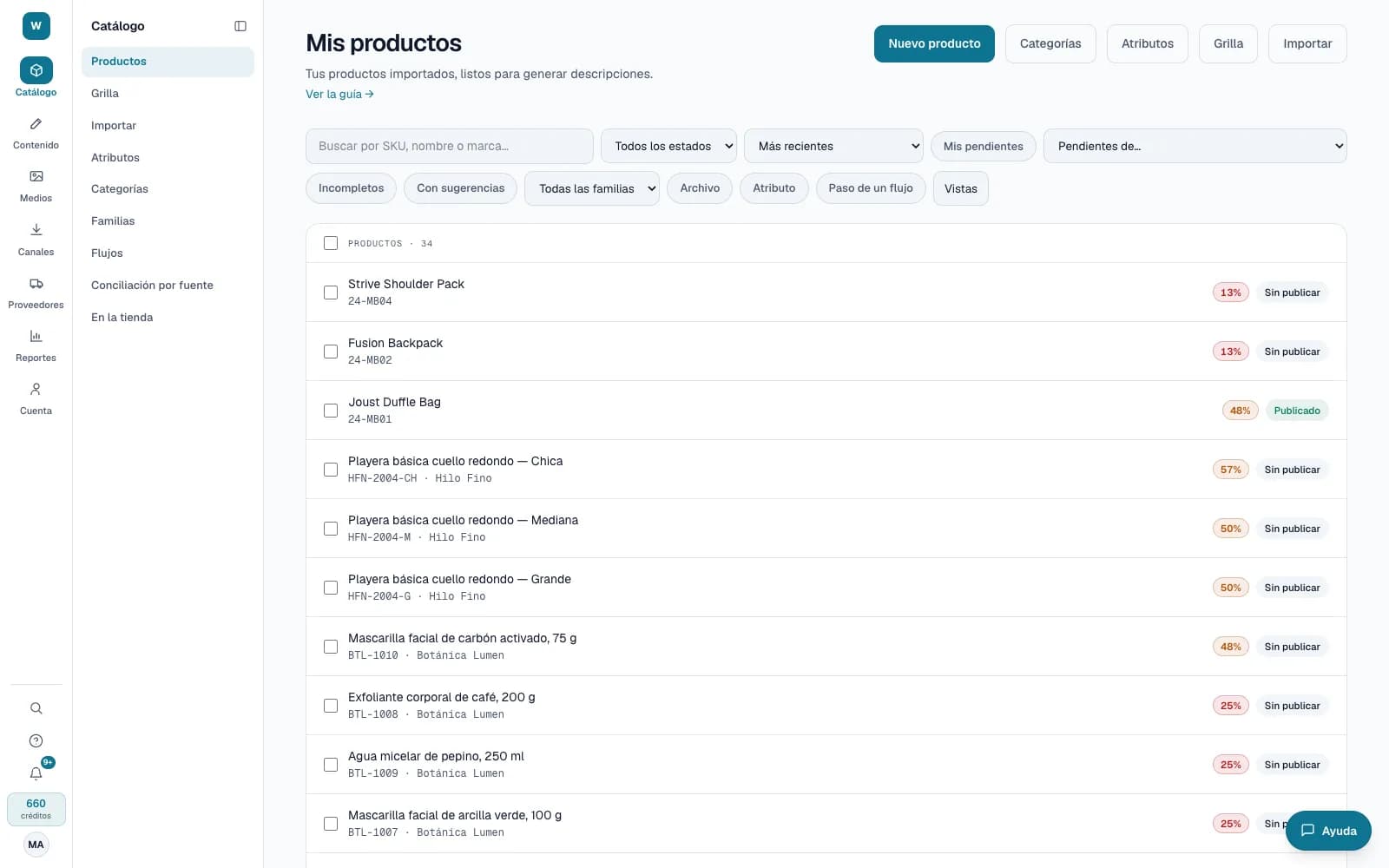
The structured record of every product: typed attributes, families that tell you what is missing, a category tree and variants under a parent product. All with history.
What it solves
When the catalog lives in scattered spreadsheets, everyone writes color, size or measurements their own way and nobody knows what each product is missing. Bruxel gives every data point its type and every product type its list of attributes, so completeness is measured instead of guessed.
- Seven attribute types —list, multi-select list, yes/no, text, number, date and measurement— and rules that convert units or reject values that don't match a pattern.
- Families that group the attributes of each product type, and a category tree up to 6 levels deep that you build by hand or with AI.
- A grid to edit up to 500 cells in a single save, pasting from Excel, and a history on every product page to go back to an earlier version.
What it looks like
Who it is for
- Master data teams that need a single place for every product record.
- E-commerce leads who want to know what each product is missing before it goes live.
- Brands that sell in sizes, colors or presentations and need to group them under a parent product.
What it needs
- Defining attributes, families and categories takes the Operator role or above; editing values and assigning categories, Editor or above.
- The structure costs no credits. The AI tools do, and show the cost first: building the tree from a photo or a URL (15), organizing it (10) or auto-categorizing (5 per product).
- Going back to an earlier version from the product history is done by an administrator.
Its guides
Product record historyWhat changed in a product, when, why, and how it looked before.The catalog gridHow to edit the attributes of many products at once, spreadsheet-style, and what happens to each cell when you save.Attributes and familiesWhat attributes are, what families are for, and why they move the completeness number.CategoriesThe tree that organizes your catalog: build it by hand or with AI, assign products to it and give each branch a default family.Product familiesHow to create a family, choose its attributes and which ones are required, and give it to one product or to every product in a filter.VariantsHow to group sizes and colors under a parent product, and what your catalog gains from it.
Read more: The catalog in Bruxel: attributes, families, categories and variants