Bruxel modules
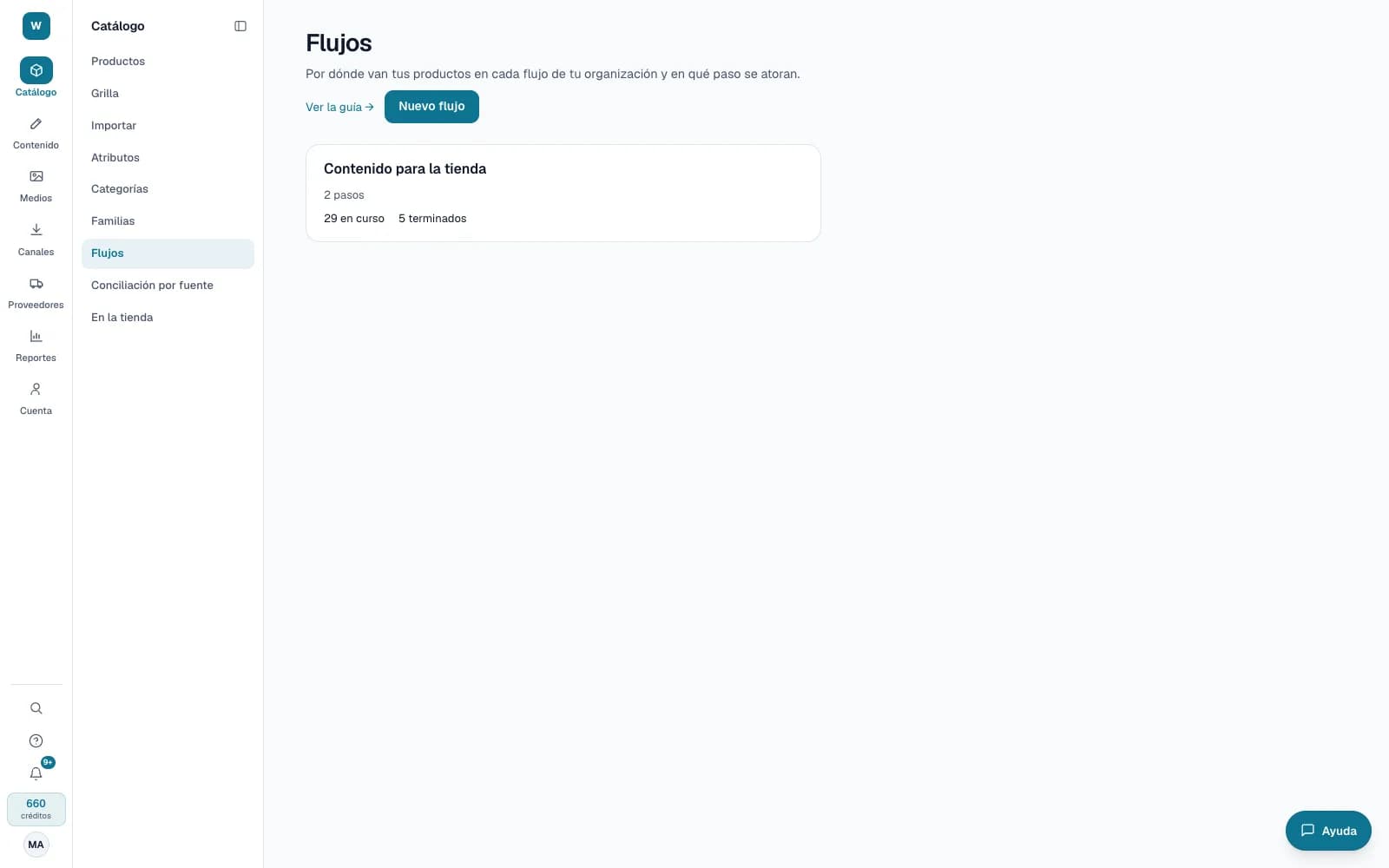
Flows: where each product is between your teams and systems
A flow maps a product's journey, for example from the supplier's sign-up to being ready for your store, and tells you which step each one is on.
What it solves
When a product goes through purchasing, master data, content and your ERP, nobody knows where it got stuck without asking by email. Bruxel watches the product record and what your systems report, and shows you where each product is and what is running late.
- Steps that complete themselves with a rule: a flag set to Yes, a field with a value, the description published or the channel complete.
- A board per flow with what is in progress, what is blocked by an error and what is late, with alerts in the notification bell.
- Tasks with an owner and a due date, and comments with mentions on every product page, which never go out in exports or to your store.
What it looks like
Who it is for
- Organizations where several teams and systems touch each product before it is published.
- Operations leads who need to see where products get stuck and how long each step takes.
- Teams that split up a large catalog without keeping track in another spreadsheet.
What it needs
- Designing and activating a flow is for administrators; the rest of the team sees the board and each product's journey.
- Assigning tasks and resolving comments takes Editor or above; anyone can comment, viewers included.
- For your systems to move their steps, register them in Connected systems and have them report through the API or receive webhooks. Bruxel observes and coordinates; it doesn't execute anything in them.
Its guides
Flows and journeysWhere each product stands between your supplier, your teams and your systems, and what happened at each step.Assigned tasksWho is working on which product, and by when — without leaving the catalog.Comments on a productNotes for your team inside each product: what's missing, what to review and what was decided.
Read more: Flows in Bruxel: each product's journey, step by step